SMS Consent & Opt-In Disclosure
Local Pulse sends one-time SMS verification codes (OTPs) to authenticate users signing into the Local Pulse iOS mobile app. We do not send marketing, promotional, or recurring informational messages through this number.
How users opt in
- The user downloads the Local Pulse app from the Apple App Store.
- On the sign-in screen, the user selects the SMS tab and enters their phone number.
- Directly above the Send Code button, the following consent disclosure is displayed:By tapping Send Code, you agree to receive a one-time SMS verification code from Local Pulse. Msg & data rates may apply. Reply STOP to opt out, HELP for help.
- The user taps Send Code. This action constitutes opt-in consent.
- Local Pulse delivers a single SMS containing a 6-digit verification code.
- The user enters the code in the app to complete sign-in. No further messages are sent.
Screenshot of in-app consent and opt-in
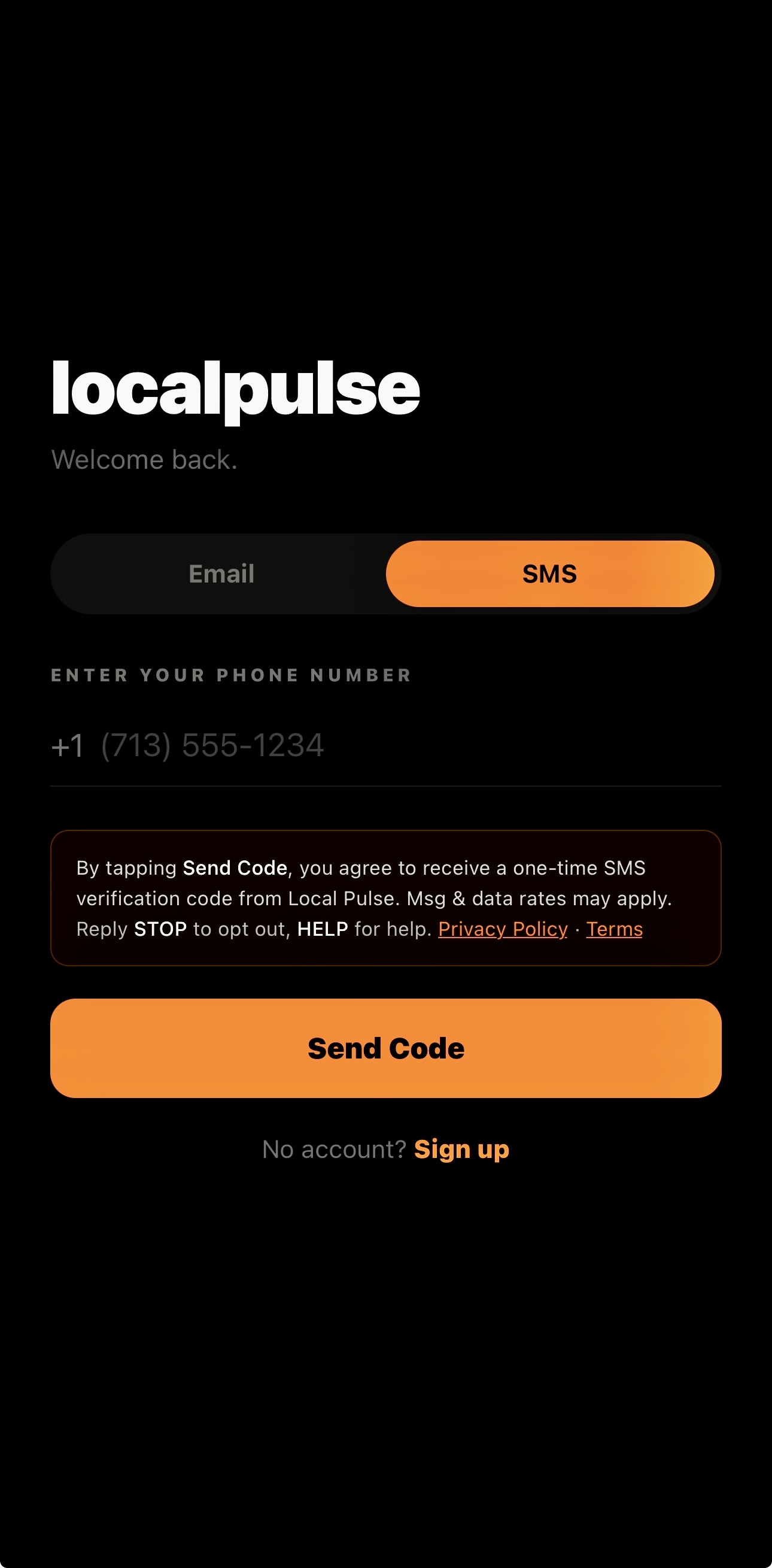
Local Pulse sign-in screen (iOS). The consent disclosure is displayed directly above the Send Code button. Tapping Send Code constitutes opt-in.
Message frequency
One SMS per sign-in attempt, only when the user explicitly taps “Send Code.” No recurring or scheduled messages.
Sample messages
Opt-out and help
Users may reply STOP to any message to unsubscribe immediately. Replying HELP returns contact information. For other questions, email support@thelocalpulse.app.
Privacy
Phone numbers are used solely for account authentication and are not shared with third parties for marketing purposes. See our Privacy Policy and Terms of Service.